Convention Center IT Support Bainbridge Island, Washington
Reliable IT for Guest Wi-Fi, Events, Business Systems, and 24/7 Operations
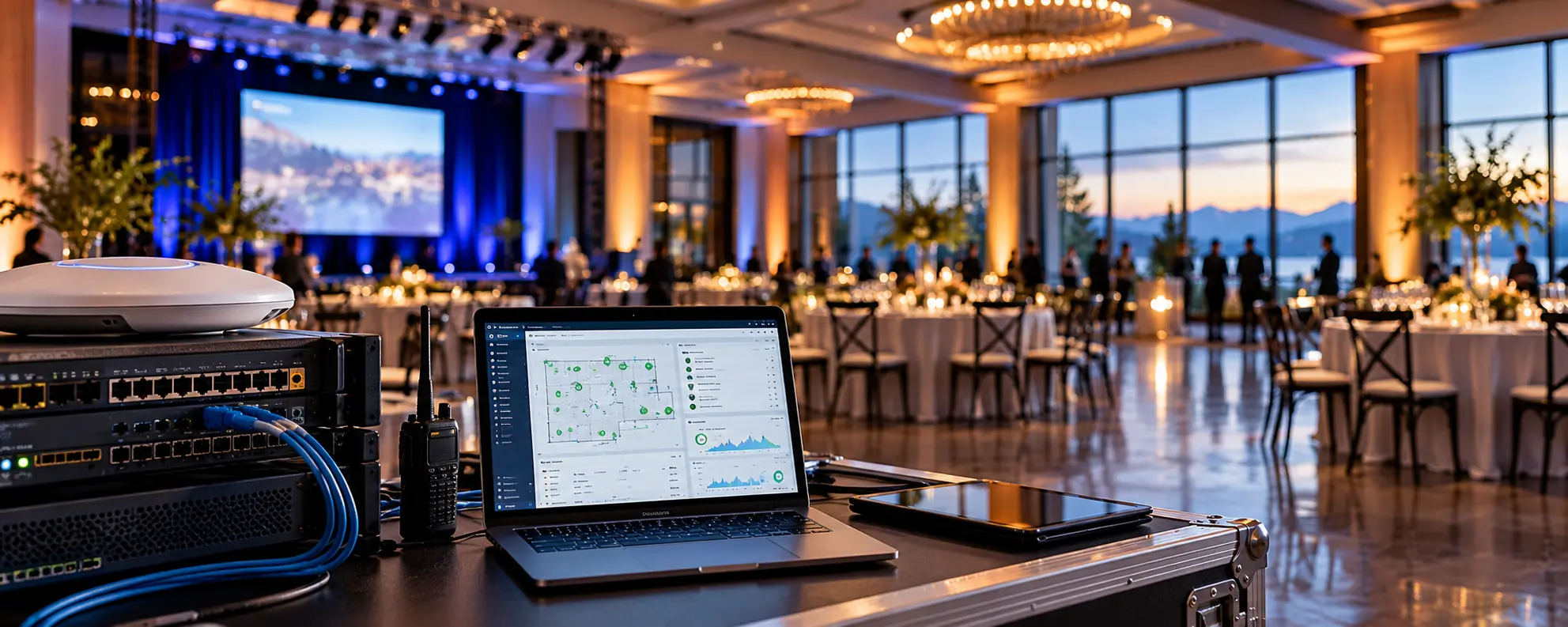
Hospitality & Entertainment IT Support Service in Bainbridge Island, Washington
IT Support That Keeps the Event Moving
When guests are already onsite, there is no convenient time for the Wi-Fi, POS system, phones, or presentation technology to stop working.
You get it, the subject of hospitality & entertainment it support is just one of those things in life you have to trust a professional to do. So feel free to skip all the reading and click the button below to get a quote now, or scroll down to learn more.
Get A QuoteTechnology problems in a hospitality or event environment can quickly become customer-service problems.
A failed access point can affect guests.
A POS outage can affect sales.
An internet problem can affect vendors, employees, and attendees.
A conference-room issue can delay an important presentation.
MTech Solutions provides IT support built around environments where technology needs to work when people are depending on it.
Our goal is to keep the technology behind the event running so your employees can focus on the guests.
Hospitality and Event Businesses We Support
MTech works with organizations such as:
- Convention centers
- Event venues
- Entertainment venues
- Banquet and meeting facilities
- Wineries
- Distilleries
- Hospitality businesses
- Event-hosting companies
- Multi-purpose facilities
- Businesses that host conferences, meetings, and private events
These environments may look very different, but they have something in common:
When guests are onsite, technology has to work.
Technology Throughout the Venue
Modern hospitality and event businesses may depend on many different systems at once.
MTech can support the technology surrounding:
- Microsoft 365
- POS systems
- Booking and event applications
- Business phones
- Guest Wi-Fi
- Employee Wi-Fi
- Printers
- Cameras
- Door access
- TVs and displays
- Conference rooms
- Presentation technology
- Computers
- Servers
- Network equipment
- Cloud applications
Instead of treating each system as an isolated problem, we look at how the entire technology environment works together.
When a POS System Goes Down
MTech has worked with an environment where a POS system stopped working because the system had not been properly configured by a previous technology provider.
Instead of assuming the POS vendor was responsible, we investigated the underlying setup and identified the configuration problem.
We corrected the issue and had the system operational again within approximately an hour.
This is the type of problem where understanding the network and the business application together can make a major difference.
The goal is not to determine who to blame.
The goal is to get the business operating again.
When Venue Wi-Fi Fails
We have also responded to a venue where the wireless network went down because an access point had failed.
MTech had replacement equipment available, responded onsite, replaced the failed hardware, and verified that wireless connectivity was restored.
For an event venue, resolving the technical problem is only part of the job.
We also want to confirm that the systems employees and guests depend on are actually working again.
Fast Response During Events
When an important system fails during an event, MTech starts troubleshooting immediately.
Whenever possible, we begin remotely while coordinating an onsite technician when hands-on assistance is required.
Our priority is the technology having the biggest impact on the event or business operation.
That could be:
- Internet connectivity
- Wi-Fi
- POS systems
- Phones
- Presentation technology
- Network equipment
- Business applications
Once the most disruptive issue is resolved, we work through any remaining problems according to business priority.
Support Outside Normal Business Hours
Events do not only happen Monday through Friday from 8 AM to 5 PM.
They happen:
- Evenings
- Weekends
- Early mornings
- Holidays
- During large conferences and private events
MTech provides after-hours and 24/7 support for managed clients because technology issues do not follow a normal office schedule.
When something important goes down, your staff should know who to contact.
Guest Wi-Fi Should Be Separate From Your Business Network
Guest wireless access should not place visitor devices directly alongside business systems.
MTech can create separate networks and VLANs for different types of users and devices.
For example, a venue may have separate networks for:
Guests
Employees
POS systems
Business computers
Cameras
Building or IoT devices
Vendors
Separating network traffic can improve security, performance, organization, and troubleshooting.
Guests can get the connectivity they need without being placed directly on the same network as sensitive business systems.
Wi-Fi Design for Large Venues
Wireless networking inside an event venue is very different from Wi-Fi inside a small office.
Coverage may be needed throughout:
- Ballrooms
- Meeting rooms
- Conference areas
- Lobbies
- Tasting rooms
- Outdoor spaces
- Warehouses
- Multiple floors
- Administrative offices
- Vendor areas
Walls, building materials, crowds, equipment, and the number of connected devices can all affect wireless performance.
MTech helps plan wireless networks around how the facility is actually used.
We can use network-design tools and facility blueprints to help determine appropriate access-point placement before equipment is installed.
Planning for High-Density Wireless
An access point showing a strong signal does not automatically mean the wireless network is designed correctly.
Large events can put hundreds of additional devices onto a network.
MTech considers factors such as:
- Coverage
- Device density
- Access-point placement
- Network capacity
- Business versus guest traffic
- VLAN design
- Available internet bandwidth
- Building layout
The goal is reliable connectivity when the venue is busy—not just when the building is empty.
Temporary Events and Temporary Networks
Some events require technology that is only needed temporarily.
MTech can assist with temporary technology requirements such as:
- Additional Wi-Fi
- Temporary offices
- Vendor connectivity
- Temporary network equipment
- Additional access points
- Special event networks
- Temporary computers
- Backup internet
- Starlink when appropriate
Temporary does not have to mean poorly secured or unreliable.
The event network can still be designed with security, segmentation, and stability in mind.
Backup Internet Options
Internet connectivity can be critical during an event.
Depending on the location and requirements, MTech can help evaluate backup connectivity options, including technologies such as Starlink when appropriate.
Having a second connectivity option can provide another path when the primary internet connection experiences an outage.
The appropriate solution depends on the venue and how critical connectivity is to operations.
Business Phone Systems
Hospitality and event organizations often rely heavily on phone communication.
Calls may need to reach:
- Front desk
- Event coordinators
- Sales
- Management
- Operations
- Remote employees
- After-hours staff
MTech supports business phone systems including:
- VoIP
- Call queues
- Auto attendants
- Call routing
- Call forwarding
- Desk phones
- Mobile applications
- Microsoft Teams
- Remote users
- After-hours routing
Phone-system changes can also be incorporated into employee onboarding and offboarding.
Conference Rooms and Presentation Technology
A conference room that worked yesterday does not help if it fails five minutes before an important meeting.
MTech helps support technology used in:
- Conference rooms
- Meeting spaces
- Presentation areas
- TVs
- Displays
- Computers
- Network-connected AV equipment
- Microsoft Teams meetings
- Video conferencing
When appropriate, we also work with AV vendors rather than leaving the venue responsible for coordinating between multiple technical providers.
Cameras and Physical Security
Hospitality and event facilities may need security coverage throughout:
- Entrances
- Parking areas
- Outdoor spaces
- Loading areas
- Hallways
- Event spaces
- Offices
- Storage areas
MTech supports physical-security technologies including:
- UniFi Protect
- Indoor cameras
- Outdoor cameras
- Network video systems
- Door access
- Access-control hubs
- Network infrastructure supporting security equipment
Because cameras and access-control systems rely on the network, having the network and physical-security technology properly coordinated can simplify management and troubleshooting.
Cybersecurity for Hospitality and Event Businesses
Event environments can create unique security challenges because many different people and devices may interact with the technology.
Common risks include:
- Shared passwords
- Shared accounts
- Missing MFA
- Guest devices on business networks
- Weak Wi-Fi security
- Phishing
- Older computers
- Employees with excessive permissions
- Missing endpoint protection
- Poor employee offboarding
Security should protect the business without making normal operations unnecessarily difficult.
Separate Guest and Business Technology
One of the most important security practices for hospitality environments is keeping guest technology separate from sensitive business systems.
MTech can use VLANs and separate network configurations to isolate:
- Guest devices
- Employee systems
- POS devices
- Cameras
- Business computers
- Servers
- Other network-connected equipment
This provides a stronger security foundation and makes the network easier to troubleshoot.
Microsoft 365 Support
MTech supports Microsoft 365 throughout hospitality and event organizations.
That can include:
- Outlook
- Exchange Online
- Teams
- SharePoint
- OneDrive
- MFA
- Licensing
- Email security
- File sharing
- Permissions
- Shared mailboxes
- Employee onboarding
- Employee offboarding
Microsoft 365 can help connect employees who work different schedules and across different parts of the facility.
Employee Onboarding
Event and hospitality organizations may have:
- Full-time employees
- Part-time employees
- Seasonal employees
- Event coordinators
- Temporary staff
- Managers
- Vendors
Everyone should not automatically receive the same technology access.
MTech helps create documented onboarding procedures based on employee responsibilities.
That may include setting up:
- Microsoft 365
- Computers
- Mobile devices
- MFA
- Applications
- File permissions
- Phone access
- Network access
- Security tools
Documented procedures make the process more consistent and reduce the chance of something being forgotten.
Employee Offboarding
Offboarding is just as important.
MTech follows documented procedures to make sure former employees no longer retain unnecessary access.
That may include:
- Disabling Microsoft 365
- Removing remote access
- Removing application access
- Preserving email
- Transferring files
- Providing appropriate manager access
- Updating phone routing
- Recovering company equipment
- Removing network access
The goal is to protect the business while preserving the information management still needs.
Backup and Disaster Recovery
Hospitality organizations can experience many of the same backup problems we see in other businesses.
Those can include:
- No recovery plan
- Local-only backups
- No offsite backup
- Cloud data not separately protected
- Aging servers
- Untested restores
- Unclear retention
- No documented recovery priorities
A backup is useful only if the business knows how it will recover when something actually goes wrong.
What Gets Restored First?
If a major failure happens during an event, MTech prioritizes the system causing the greatest operational impact.
We first focus on the technology necessary to keep the business and event operating.
After the most critical issue has been resolved, we work through the remaining systems based on business priority.
Recovery should follow what matters to the operation—not an arbitrary technical checklist.
Vendor Coordination
Hospitality and event venues can depend on many different technology vendors.
Those may include:
- POS providers
- Event-software companies
- Internet providers
- AV companies
- Phone vendors
- Copier companies
- Camera vendors
- Microsoft
- Booking-system providers
- Equipment manufacturers
When something stops working, multiple vendors may immediately point at each other.
MTech works to prevent your staff from becoming the middleman.
We investigate:
- Logs
- Network communication
- Firewall rules
- DNS
- VLANs
- Permissions
- Authentication
- Server configuration
- Workstation configuration
- Vendor technical requirements
If the issue is on our side, we own it and work to resolve it as quickly as possible.
If our testing shows the problem is on the vendor's side, we provide the technical evidence and continue working with that vendor toward resolution.
The objective is simple:
Get the system working again.
Why Hospitality & Event Venues Choose MTech
Local IT Technicians
Our technicians are local rather than outsourced overseas.
24/7 Support
Events happen outside normal office hours, and your technology support needs to account for that.
Fast Remote and Onsite Response
We can begin troubleshooting remotely and provide onsite assistance when hands-on support is required.
Wi-Fi and Network Design
We support guest Wi-Fi, business networks, VLANs, firewalls, switching, access points, fiber, and large facilities.
Event-Focused Support
We understand that problems need a different level of urgency when guests are already onsite.
Business Phones
We support VoIP, call queues, routing, auto attendants, mobile users, and after-hours communication.
Cybersecurity
We help protect Microsoft 365, computers, email, business networks, and remote access.
Physical Security
We support cameras, UniFi Protect, door access, and the networks those systems depend on.
Microsoft 365
We support Outlook, Teams, SharePoint, OneDrive, MFA, permissions, and administration.
Vendor Coordination
We stay involved with vendors instead of leaving your employees stuck between technology providers.
Backup and Recovery
We help plan what happens when a critical system fails.
No Overseas Outsourcing
Clients work with our local technology team.
Flat-Rate Managed Support
Our managed service model helps make ongoing IT costs more predictable.
No Long-Term Contracts
We focus on providing a level of service that makes clients want to continue working with us rather than depending on a long-term agreement.
Hospitality & Event Venue IT Services
MTech can help with:
- Managed IT services
- 24/7 IT support
- Event technology support
- Guest Wi-Fi
- Business Wi-Fi
- VLANs
- Network segmentation
- Wi-Fi design
- Microsoft 365
- Outlook
- Teams
- SharePoint
- OneDrive
- POS connectivity
- Business phone systems
- VoIP
- Conference rooms
- Presentation technology
- Remote employees
- Cybersecurity
- Email security
- MFA
- Endpoint protection
- Backup and disaster recovery
- Firewalls
- UniFi
- Fortinet
- Access points
- Switches
- Fiber
- Network cabling
- Temporary networks
- Backup internet
- Cameras
- UniFi Protect
- Door access
- Access-control hubs
- Employee onboarding
- Employee offboarding
- Vendor coordination
- IT documentation
- Technology planning
Local Hospitality & Event Venue IT Support
MTech Solutions provides remote and onsite IT support throughout Bothell and surrounding Puget Sound communities, including Bellevue, Kirkland, Redmond, Lynnwood, Everett, Seattle, Issaquah, Mukilteo, Woodinville, and nearby areas.
When guests are onsite, your employees should be focused on delivering the event—not troubleshooting Wi-Fi, POS systems, phones, Microsoft 365, cameras, or vendors.
MTech is there to handle the technology behind the experience.
Keep Your Next Event Running Smoothly
Your team should be focused on guests, events, customers, and operations—not troubleshooting Wi-Fi, phones, POS systems, conference rooms, cameras, or technology vendors.
MTech Solutions can help manage the technology behind your venue so your employees have a local IT team they can rely on before, during, and after the event.
Schedule a Hospitality & Event Venue IT Assessment
Helpful IT Resources for Hospitality & Event Venues
UniFi Network Installation for Small Businesses
Business Phone Systems: VoIP, UniFi Phones, Intermedia & Microsoft Teams
Microsoft 365 Security Checklist for Small Businesses
Business Continuity vs Backup vs Disaster Recovery
New Employee IT Onboarding Checklist
Employee Offboarding IT Checklist
What to Do When Your Business Email Gets Hacked
Cyber Insurance IT Checklist for Small Businesses
Hospitality & Entertainment IT Support FAQs
Yes. MTech supports convention centers, event venues, hospitality businesses, wineries, distilleries, entertainment facilities, and other organizations that rely on networking, Wi-Fi, Microsoft 365, phones, POS systems, security systems, and ongoing IT support.
Yes. We can design separate guest wireless networks using technologies such as VLANs and network segmentation so visitor devices can remain separated from sensitive business systems.
Yes. We support Wi-Fi planning for ballrooms, meeting areas, tasting rooms, outdoor spaces, multi-floor buildings, and other large facilities. We can use facility plans and network-design tools to help determine access-point placement.
Yes. For managed clients, we can begin troubleshooting remotely and coordinate onsite response when necessary. We prioritize the system creating the greatest impact on the event or operation.
Yes. Events frequently happen during evenings and weekends, so MTech provides after-hours and 24/7 support for managed clients.
MTech supports the IT environment that POS systems rely on, including networking, workstations, connectivity, firewalls, printers, and coordination with POS vendors.
Yes. We can help with temporary Wi-Fi, additional access points, vendor connectivity, temporary offices, network equipment, and backup connectivity when appropriate.
Yes. We support network-connected cameras, UniFi Protect, indoor and outdoor cameras, door access, access-control hubs, and the underlying network infrastructure.
Yes. We can help support the network and technology used by conference rooms, TVs, displays, meeting systems, and presentation environments.
Yes. We investigate the IT environment, gather technical evidence, and work directly with vendors rather than leaving your staff stuck between multiple providers.