Our Blog Bothell, Washington

What to Do When Your Business Email Gets Hacked
Business IT SupportCybersecurityEmail SecurityManaged IT ServicesMFAMicrosoft 365
A hacked business email account can lead to stolen data, fake invoices, wire fraud, and client trust issues. Learn what steps to take right away and how MTech helps businesses secure Microsoft 365 and email accounts after a compromise.
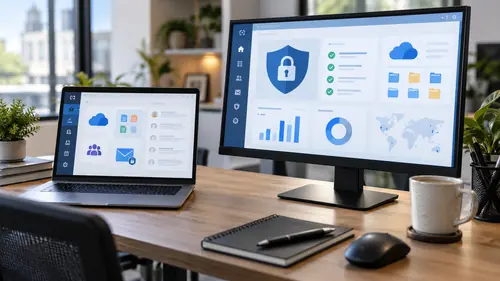
Microsoft 365 Security Checklist for Small Businesses
CybersecurityEmail SecurityMFAMicrosoft 365OneDriveSharePointSmall Business IT
Microsoft 365 is powerful, but default settings are not always enough. Use this Microsoft 365 security checklist to protect email, Teams, SharePoint, OneDrive, users, and business data.

Signs Your Company Needs Managed IT Services
Business TechnologyCybersecurityIT ConsultingIT SupportManaged IT ServicesMicrosoft 365Small Business IT
Is your company dealing with slow systems, recurring tech issues, security concerns, or unclear IT responsibilities? Learn the warning signs that your business may need managed IT services before small problems become expensive disruptions.
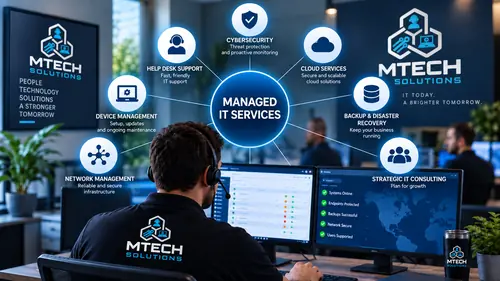
What Is Included in Managed IT Services?
Business TechnologyCybersecurityHelp DeskIT SupportManaged IT ServicesMSP
Managed IT services should be more than basic computer support. Learn what is typically included, including help desk support, monitoring, cybersecurity, Microsoft 365, backups, vendor coordination, and IT planning.

How Much Does Managed IT Cost for a Small Business?
Flat Rate IT SupportIT PricingManaged IT ServicesMSP PricingSmall Business IT
Managed IT pricing depends on users, devices, locations, cybersecurity needs, Microsoft 365, backups, and support expectations. Learn what affects cost and why flat-rate IT support helps businesses budget with confidence.

Break-Fix IT vs Managed IT Services
Break Fix ITIT SupportManaged IT ServicesMSPSmall Business IT
Break-fix IT waits until something breaks. Managed IT focuses on prevention, monitoring, security, and long-term support. Learn which model makes more sense for a growing business.
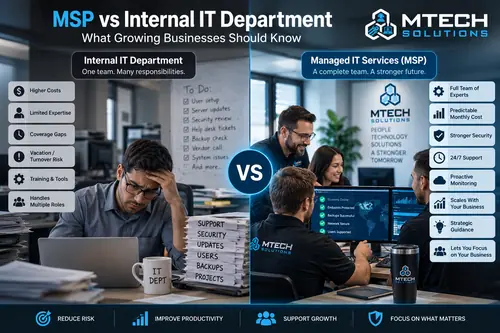
MSP vs Internal IT Department: What Growing Businesses Should Know
Business TechnologyCybersecurityInternal ITIT ConsultingIT SupportManaged IT ServicesMSP
Should your business hire internal IT or work with a managed service provider? Learn the differences between an MSP and an internal IT department, including cost, support coverage, cybersecurity, scalability, and when a hybrid model makes sense.

How to Switch IT Providers Without Downtime
Business TechnologyIT ConsultingIT SupportManaged IT ServicesMSP Transitions
Switching IT providers can feel risky, but it does not have to disrupt your business. Learn what access, documentation, passwords, Microsoft 365 details, backups, and vendor information should be reviewed before the transition.

Benefits of Managed IT Services for Professional Services Firms
Business TechnologyCybersecurityIT SupportManaged IT ServicesMicrosoft 365Professional Services
Professional services firms depend on fast communication, secure files, and reliable systems. Learn how managed IT services help law firms, accounting firms, consultants, real estate teams, and financial offices reduce downtime, protect client data, and support growth.
Professional services firms depend on secure access to email, client documents, Microsoft 365, cloud applications, and reliable IT support. Learn more about MTech's IT support for professional services firms and how we help client-focused businesses keep their technology secure and available.

Say what! Flat-Rate IT Pricing and No Long-Term Contracts
Business TechnologyFlat Rate IT SupportIT SupportManaged IT ServicesMSPNo ContractsService Agreement
At MTech, we believe IT support should be simple, transparent, and built on trust. Learn why we use flat-rate pricing and service agreements instead of locking clients into long-term contracts.

Why MTech Only Hires Local IT Staff Instead of Outsourcing Support
Business TechnologyCustomer ServiceCybersecurityIT SupportLocal IT SupportManaged IT ServicesMSP
At MTech, we believe IT support should feel personal, accountable, and connected to the businesses we serve. Learn why we only hire local staff instead of outsourcing support, and why that matters for response times, trust, communication, and security

Our Mission: We Do Not Leave Clients Hanging
Customer ServiceIT SupportLocal IT SupportManaged IT ServicesMTech MissionOnsite IT SupportRemote IT Support
At MTech, our mission is simple: we do not leave clients hanging. Whether we are working remotely or onsite, we stay with the issue, communicate clearly, and work until the problem is resolved.

How MTech Helps Companies with QuickBooks Enterprise IT Support
Accounting SoftwareBackup and RecoveryBusiness Software SupportIT SupportManaged IT ServicesQuickBooks EnterpriseRemote AccessServer Support
QuickBooks Enterprise is critical for many businesses, but supporting it can become complicated when company files, servers, users, permissions, backups, and remote access are involved. Learn how MTech helps companies keep QuickBooks Enterprise running smoothly and how we help bridge the gap when Intuit support is difficult to work with.

QuickBooks Enterprise Running Slow? Common IT Causes
Accounting SoftwareIT SupportManaged IT ServicesQuickBooks EnterpriseServer Support
QuickBooks Enterprise performance issues are not always caused by QuickBooks itself. Slow workstations, servers, networks, backups, permissions, and remote access can all affect performance.

QuickBooks Multi-User Mode Not Working: IT Checklist
IT SupportMulti-User ModeQuickBooks EnterpriseQuickBooks SupportServer Support
QuickBooks multi-user mode depends on the right server, hosting, permissions, firewall, and workstation setup. Use this checklist to troubleshoot common IT causes when users cannot access the company file.

Employee Offboarding IT Checklist
CybersecurityEmployee OffboardingIT SupportManaged IT ServicesMicrosoft 365
When an employee leaves, IT offboarding needs to happen quickly and completely. Use this checklist to protect email, files, devices, passwords, remote access, Microsoft 365, and company data.

New Employee IT Onboarding Checklist
CybersecurityEmployee OnboardingIT SupportManaged IT ServicesMicrosoft 365
A smooth employee onboarding process starts with the right IT setup. Use this checklist to make sure new hires have the devices, accounts, software, permissions, security, and support they need on day one.

SharePoint vs OneDrive vs Teams: Where Should Business Files Go?
Business IT SupportCloud StorageMicrosoft 365OneDriveSharePointTeams
Many businesses use Microsoft 365 but are unsure whether files belong in SharePoint, OneDrive, or Teams. Learn the difference and how to organize business files more securely.
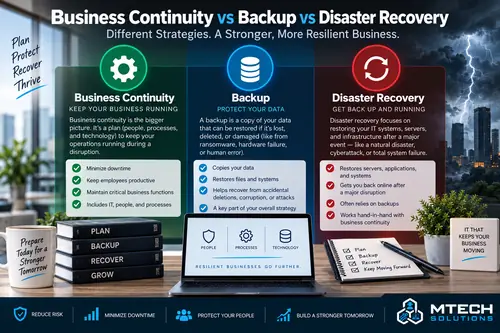
Business Continuity vs Backup vs Disaster Recovery
Backup and Disaster RecoveryBusiness ContinuityCybersecurityData ProtectionManaged IT Services
Backups, disaster recovery, and business continuity are related, but they are not the same. Learn the difference and why every business needs a practical recovery plan before something goes wrong.
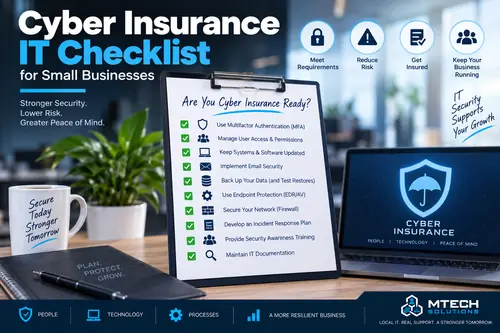
Cyber Insurance IT Checklist for Small Businesses
BackupCyber InsuranceCybersecurityEmail SecurityIT SupportMFA
Cyber insurance applications often ask detailed IT and security questions. Use this checklist to understand common requirements such as MFA, endpoint protection, backups, email security, patching, and incident response.
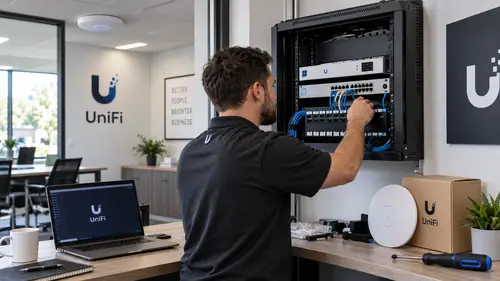
UniFi Network Installation for Small Businesses
Business ITFirewallNetwork InstallationNetwork SupportUniFiWi-Fi
Business networks need more than basic Wi-Fi. Learn how UniFi firewalls, switches, access points, guest Wi-Fi, VLANs, and clean network design can help small businesses improve reliability and security.
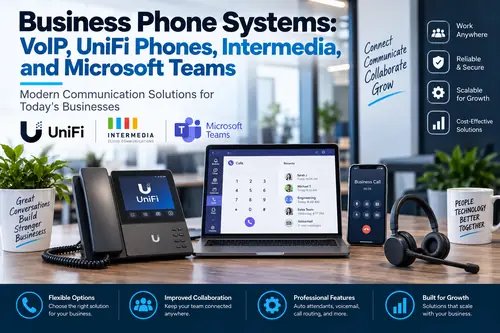
Business Phone Systems: VoIP, UniFi Phones, Intermedia, and Microsoft Teams
Business Phone SystemsIntermediaIT SupportManaged IT ServicesMicrosoft Teams PhoneUniFi PhonesVoIP
Modern business phone systems give companies more flexibility than traditional phone lines. Learn how VoIP, UniFi phones, Intermedia, and Microsoft Teams Phone can help businesses improve communication, call routing, remote work, and customer service.

AI Automation Examples for Office Admin Teams
AI AutomationBusiness AutomationMicrosoft 365Office ProductivityWorkflow Automation
AI automation can help office teams reduce repetitive admin work, organize information, speed up customer response, summarize meetings, process documents, and improve follow-up without adding unnecessary complexity.
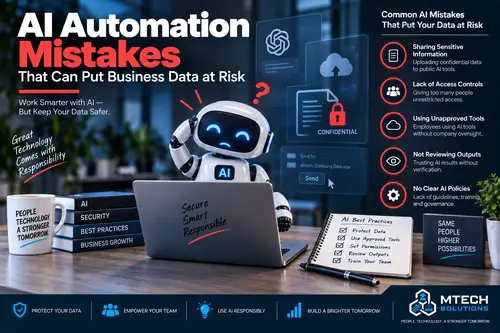
AI Automation Mistakes That Can Put Business Data at Risk
AI AutomationBusiness AutomationCybersecurityData ProtectionIT SupportMicrosoft 365
AI automation can save time, but it can also create risk when businesses do not control data, permissions, access, and approved tools. Learn the most common AI automation mistakes and how to avoid them.

IT Support for Accounting Firms During Tax Season
Accounting IT SupportCybersecurityManaged IT ServicesMicrosoft 365Microsoft 365QuickBooks EnterpriseTax Season IT Support
Tax season puts pressure on accounting firms, staff, software, email, remote access, and client communication. Learn how managed IT support helps accounting firms stay secure, productive, and prepared during their busiest time of year.
Accounting firms have technology requirements that become especially important during tax season, including QuickBooks, tax software, Microsoft 365, client file sharing, cybersecurity, backups, and remote access. Learn more about MTech's IT support for accounting firms and how we help keep critical systems reliable throughout the year.

Dental Office IT Support: What Every Practice Should Have in Place
Backup and RecoveryCybersecurityDental IT SupportHealthcare ITManaged IT ServicesMicrosoft 365
Dental offices depend on reliable technology for scheduling, imaging, patient communication, billing, email, Wi-Fi, and security. Learn what every dental practice should have in place for better IT support.
Dental technology involves more than basic computer support. Imaging systems, practice-management software, servers, networks, cybersecurity, backups, and vendor coordination all have to work together. Learn more about MTech's IT support for dental offices and how we help manage the complete dental technology environment.
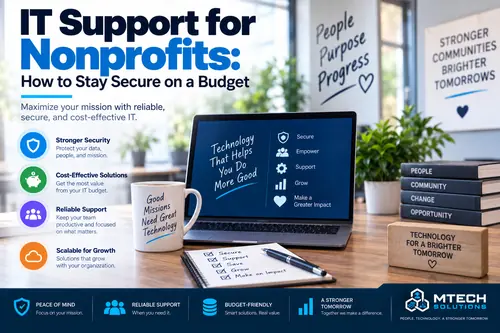
IT Support for Nonprofits: How to Stay Secure on a Budget
Budget-Friendly ITCloud SolutionsCybersecurityManaged IT ServicesMicrosoft 365Nonprofit IT Support
Nonprofits need reliable technology and strong cybersecurity, but budgets are often limited. Learn how nonprofit organizations can protect data, support staff, manage Microsoft 365, and plan IT more effectively.
Nonprofit technology requires a balance between security, reliability, and responsible budgeting. Learn more about MTech's IT support for nonprofit organizations and how we help nonprofits plan technology improvements without unnecessary spending.