Dental Office IT Support Mukilteo, Washington
Keeping Your Dental Technology Secure, Connected, and Working
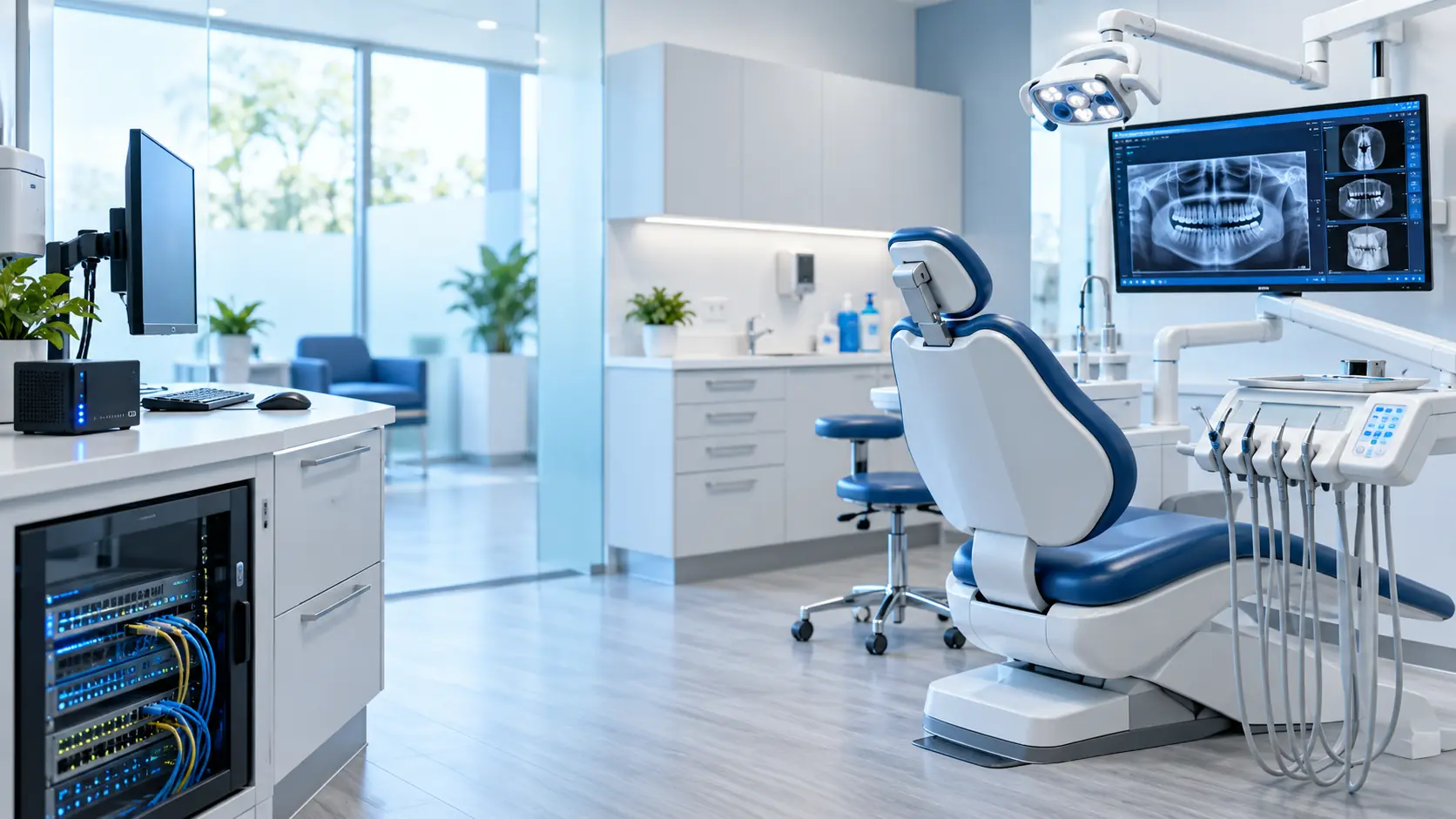
Dental Office IT Support Service in Mukilteo, Washington
Dental Office IT Support That Understands the Entire Practice
A dental office is not a typical small-business technology environment.
You get it, the subject of dental office it support is just one of those things in life you have to trust a professional to do. So feel free to skip all the reading and click the button below to get a quote now, or scroll down to learn more.
Get A QuoteThe front desk may rely on scheduling and billing software while operatories depend on imaging systems, intraoral cameras, digital X-rays, scanners, printers, and fast access to patient information. Behind all of that are workstations, servers, Microsoft 365, firewalls, switches, wireless access points, backups, phones, and multiple software and equipment vendors.
When one piece stops working, the problem can quickly affect patient care and the entire office schedule.
MTech Solutions provides managed IT support for dental practices with a focus on keeping these systems reliable, secure, and easier for the office to manage.
We support both the everyday IT environment and the technology that dental practices depend on to treat patients.
Dental Technology We Work With
MTech regularly works around dental and healthcare technology environments that include:
- Eaglesoft
- Dentrix
- Open Dental
- Denticon
- Planet DDS
- Cloud 9
- Epic
- Dexis
- Schick
- Carestream
- MouthWatch
- Patterson
- digital X-ray systems
- panoramic imaging systems
- intraoral cameras
- imaging workstations and servers
- scanners and printers
- scan-to-folder and scan-to-email
- practice-management servers
- Microsoft 365
- network and wireless infrastructure
Our role is not to replace the dental software or equipment manufacturer.
Our role is to understand the IT environment those systems depend on and work directly with the vendor when technical troubleshooting crosses between the two.
That distinction matters.
We Help Manage the Vendor, Not Just the Computer
One of the most frustrating parts of dental technology is when a vendor says:
“This is an IT or network problem.”
and the IT provider says:
“This is a vendor problem.”
Meanwhile, the dental team is stuck making phone calls between companies while an operatory or piece of equipment is unavailable.
MTech takes a different approach.
When a dental vendor believes the network, workstation, server, firewall, or another IT component is causing the problem, we ask them to provide the technical evidence they are seeing.
That may include:
- logs
- error messages
- required ports
- IP requirements
- application requirements
- service status
- driver information
- connectivity tests
If the evidence points to the IT environment, we troubleshoot it.
If it does not, we continue working with the vendor until the source of the problem becomes clearer.
Our goal is not to win the blame game. The goal is to get the dental office working again.
Real-World Example: An Intermittent Dental Device Problem
MTech worked with a dental environment where equipment connected to a workstation would work intermittently.
The issue had been difficult to isolate because the device worked sometimes and failed at other times.
During troubleshooting, we found that two drivers were installed for the same equipment.
The incorrect driver was conflicting with the correct configuration.
After identifying and removing the wrong driver, the workstation was able to communicate with the equipment consistently.
This is a good example of why dental IT troubleshooting often requires looking beyond the immediate error message.
The problem was not simply “the dental device does not work.” The cause was inside the workstation configuration.
Real-World Example: Pano Connectivity and Vendor Coordination
We have also worked on issues involving panoramic dental equipment that could not communicate correctly across the network.
The vendor believed the problem was related to the dental practice's network or firewall configuration.
Instead of simply accepting that conclusion, MTech stepped in to review the environment and work directly with the vendor to understand what connectivity the equipment actually required.
That type of coordination is part of our IT support.
Your front-office staff should not need to translate technical information between a dental equipment manufacturer and the IT company.
Common Dental IT Problems We Help Resolve
Some of the most common issues we see include:
Imaging and X-Ray Workstation Problems
Digital imaging depends on multiple components working together correctly.
A problem may involve:
- drivers
- workstation configuration
- software versions
- network connectivity
- firewall rules
- server communication
- permissions
- vendor applications
MTech helps troubleshoot the complete path instead of assuming the problem belongs to one particular vendor.
Scanner and Printer Problems
Dental offices still depend heavily on scanners and printers.
We help with:
- printer connectivity
- scanner installation
- scan-to-folder
- scan-to-email
- shared printers
- workstation scanning
- Microsoft 365-related scanning
- network permissions
Slow Dental Computers
A slow operatory or front-desk workstation affects staff and patients.
We review issues such as:
- aging hardware
- Windows versions
- storage performance
- memory
- unnecessary software
- network performance
- security software
- server connectivity
Server Problems
Many dental environments still depend on local servers for dental applications, databases, or imaging.
We support the underlying Windows and network environment those systems depend on.
Microsoft 365 and Email
Dental offices increasingly rely on Microsoft 365 for email, documents, collaboration, and cloud services.
MTech can help manage:
- users
- licensing
- MFA
- email security
- Microsoft 365 access
- SharePoint
- OneDrive
- Teams
- onboarding
- offboarding
Wi-Fi and Network Problems
Poor networking can affect much more than internet access.
It can affect:
- imaging equipment
- workstations
- printers
- phones
- cloud applications
- patient Wi-Fi
- security devices
For systems that transfer dental images or need consistent connectivity, we generally prefer wired Ethernet whenever practical.
Wired connections provide greater consistency and can improve image-transfer performance compared with relying entirely on wireless connectivity.
Dental Network Installation and Upgrades
MTech can help dental offices design and maintain the infrastructure behind their technology.
Our dental networking work can include:
- firewall replacements
- UniFi network installations
- managed switches
- wireless access points
- Wi-Fi upgrades
- VLAN configuration
- guest Wi-Fi separation
- Ethernet cabling
- network documentation
- phone system installation
- network troubleshooting
Guest devices should not have the same network access as systems handling business or patient information.
Segmentation and proper network design can improve both security and reliability.
Cybersecurity for Dental Practices
Dental practices handle sensitive patient and business information but often operate with small teams where convenience has historically been prioritized over access control.
We frequently encounter security issues such as:
- shared passwords
- shared Windows accounts
- missing MFA
- outdated computers
- excessive administrator privileges
- insecure guest Wi-Fi
- missing endpoint protection
- weak email protection
- unclear or untested backups
- former employees retaining access
- inconsistent onboarding
- employees receiving more access than their role requires
The last issue is particularly important.
Employees should only have access to the patient, employee, financial, and business information necessary for their role.
Giving users excessive access increases both security and privacy risk.
MTech helps dental practices build a more controlled technology environment without making daily work unnecessarily difficult.
HIPAA-Related IT Support
MTech provides HIPAA-related IT and cybersecurity support for dental practices.
Our role is to help strengthen the technology controls that support the practice's compliance program.
Areas we can help address include:
- multi-factor authentication
- endpoint security
- email security
- user access controls
- workstation security
- encryption
- backups
- network security
- employee onboarding
- employee offboarding
- documentation
- security policies and technical controls
MTech does not replace a legal advisor, compliance consultant, or formal HIPAA auditor.
We help manage and improve the technology and cybersecurity side of the practice's compliance responsibilities.
Employee Onboarding Matters More Than Many Practices Realize
One security issue we commonly see is an informal onboarding process.
A new employee may be given:
- an existing shared login
- permissions copied from another employee
- unnecessary administrative access
- access to folders they do not need
- access to employee or patient information beyond their role
Good onboarding should be deliberate.
Each user should receive their own account, appropriate permissions, MFA, access to only the applications they require, and a documented way to request additional access.
The same discipline should be used when an employee leaves.
Dental Office Backup and Disaster Recovery
One of the biggest concerns we find in dental environments is not simply whether a backup exists.
The bigger question is:
Has anyone confirmed that the backup can actually restore the practice?
We have encountered dental environments with:
- no meaningful backup
- local-only backups
- outdated backup systems
- cloud backups with unclear recovery procedures
- Microsoft 365 data with no separate backup strategy
- backups that had never been properly tested
A backup that has never been tested should not automatically be assumed to be recoverable.
MTech can help review and manage backup and disaster-recovery strategies, including solutions such as Datto where appropriate.
If the Dental Server Failed Monday Morning, What Comes Back First?
Recovery priorities should reflect how the dental practice actually operates.
For many server-based dental environments, our first priority would be restoring the server hosting the primary dental practice-management application.
That system may control:
- schedules
- patient records
- billing information
- treatment information
- daily office workflows
After the primary dental application environment is restored, the imaging server and imaging systems become a major recovery priority.
The goal of disaster recovery is not merely restoring files.
It is restoring the systems required to operate the practice.
Why MTech Treats Dental IT Differently
We believe technology support for a dental practice should reduce stress for the staff—not add another company they have to manage.
Our approach is built around a few core principles.
Local IT Staff
MTech uses local staff rather than outsourcing support overseas.
When onsite help is required, we can physically work with the equipment and environment.
Remote Support When It Is Faster
Many issues can be resolved faster remotely.
We use remote troubleshooting when that gets the office working faster and go onsite when hands-on work is necessary.
We Stay With Difficult Problems
Dental IT issues can involve several vendors and systems.
We do not want our response to be:
“That isn't our system. Call somebody else.”
If another vendor is involved, we help coordinate the technical conversation and stay engaged.
Flat-Rate Support
Our managed IT model is designed so employees do not hesitate to contact support because they are worried every call will create another hourly bill.
No Long-Term Contracts
We use a service agreement to define responsibilities and expectations rather than relying on a long-term contract to keep a client.
Vendor Coordination Is Part of the Service
When appropriate, we communicate directly with dental software and equipment vendors as part of the IT relationship.
The office manager should not have to spend an hour on the phone trying to explain firewall rules, drivers, server services, or network connectivity.
Dental Vendors We Commonly Work With
Our experience includes coordination with vendors and systems such as:
- Eaglesoft
- Dentrix
- Denticon
- Planet DDS
- Cloud 9
We also work around environments using technologies such as Dexis, Schick, Carestream, Open Dental, MouthWatch, Patterson, Epic, and other imaging and practice-management platforms.
The goal is not simply familiarity with a logo or software name.
The important part is understanding how the application's workstation, server, networking, permissions, drivers, and security requirements fit into the rest of the dental office.
Time Is Money in a Dental Practice
A workstation outage in an ordinary office is frustrating.
A workstation or imaging problem in an operatory can affect scheduled patients.
A server outage can affect the entire practice.
That is why we focus on being fast and efficient while still identifying the actual root cause.
Our view is simple:
When our clients succeed, we succeed.
We want to function as a technology partner, not simply another vendor waiting for a ticket.
Dental IT Services MTech Can Help With
MTech can support dental practices with:
- Managed IT services
- Help desk support
- Remote IT support
- Onsite IT support
- Dental software IT troubleshooting
- Imaging and X-ray workstation support
- Vendor coordination
- Microsoft 365 support
- Cybersecurity
- HIPAA-related IT support
- Endpoint protection
- Email security
- MFA
- Backup and disaster recovery
- Server support
- Network installation
- UniFi networking
- Business Wi-Fi
- VLANs and network segmentation
- Cabling
- Business phone systems
- Employee onboarding
- Employee offboarding
- IT documentation
- Technology planning
Local Dental IT Support
MTech Solutions provides local IT support for dental practices throughout Bothell and surrounding Puget Sound communities, including Bellevue, Kirkland, Redmond, Lynnwood, Everett, Seattle, Issaquah, Mukilteo, Woodinville, and nearby areas.
We can provide both remote and onsite support depending on what the issue requires.
Helpful Dental IT Resources
Dental Office IT Support: What Every Practice Should Have in Place
Learn about the core systems, security, backups, networks, and support processes a dental practice should review.
Microsoft 365 Security Checklist for Small Businesses
Review MFA, administrator access, external sharing, email security, user accounts, and other Microsoft 365 security controls.
Business Continuity vs Backup vs Disaster Recovery
Understand why simply having a backup is different from being able to restore the systems your practice needs to operate.
Employee Offboarding IT Checklist
Review the technology access that should be removed when a staff member leaves the practice.
What to Do When Your Business Email Gets Hacked
Learn the immediate steps to take if a Microsoft 365 or business email account may have been compromised.
Let MTech Handle the Technology So Your Team Can Focus on Patients
Your dental team should not have to spend valuable time troubleshooting networks, explaining technical problems to vendors, or wondering whether backups and security are working.
MTech Solutions can help manage the technology behind your practice—from workstations and dental applications to Microsoft 365, cybersecurity, networks, backups, vendor coordination, and ongoing IT support.
Schedule a Dental IT Assessment
Helpful Dental IT Resources
Dental Office IT Support: What Every Practice Should Have in Place
Learn about the core systems, security, backups, networks, and support processes a dental practice should review.
Microsoft 365 Security Checklist for Small Businesses
Review MFA, administrator access, external sharing, email security, user accounts, and other Microsoft 365 security controls.
Business Continuity vs Backup vs Disaster Recovery
Understand why simply having a backup is different from being able to restore the systems your practice needs to operate.
Employee Offboarding IT Checklist
Review the technology access that should be removed when a staff member leaves the practice.
What to Do When Your Business Email Gets Hacked
Learn the immediate steps to take if a Microsoft 365 or business email account may have been compromised.
Dental Office IT Support FAQs
MTech supports the IT environment these applications depend on and regularly coordinates with dental software vendors. We help troubleshoot workstations, servers, network connectivity, permissions, drivers, firewalls, Microsoft 365, backups, and other IT components that may affect the dental software.
Yes. Vendor coordination is part of how we support dental practices. If a vendor believes the problem is related to the workstation, server, firewall, network, or another IT component, MTech can work directly with them to gather technical information and troubleshoot the issue.
MTech provides HIPAA-related IT and cybersecurity support. We can help with technical controls such as MFA, endpoint security, email protection, access control, backups, encryption, workstation security, onboarding, offboarding, and documentation. MTech does not replace a legal advisor or formal HIPAA auditor.
When practical, MTech generally prefers wired Ethernet for imaging systems, operatories, and equipment that transfers large image files or requires consistent connectivity. Wi-Fi may be appropriate for some devices, but wired connectivity usually provides better stability and more consistent performance.
Yes. We ask the vendor for the technical information supporting that conclusion, such as logs, connectivity requirements, required ports, error messages, or application requirements. We can then investigate the network or workstation side and continue coordinating with the vendor until the problem is better understood.
The exact recovery plan depends on the environment. For many server-based dental practices, restoring the server hosting the primary practice-management application is the first priority, followed by imaging systems and other critical services. MTech can help review backup and disaster-recovery plans before an outage occurs.