IT Services for Medical Practices Vancouver, Washington
Secure, Reliable IT Support That Keeps Your Practice Focused on Patients
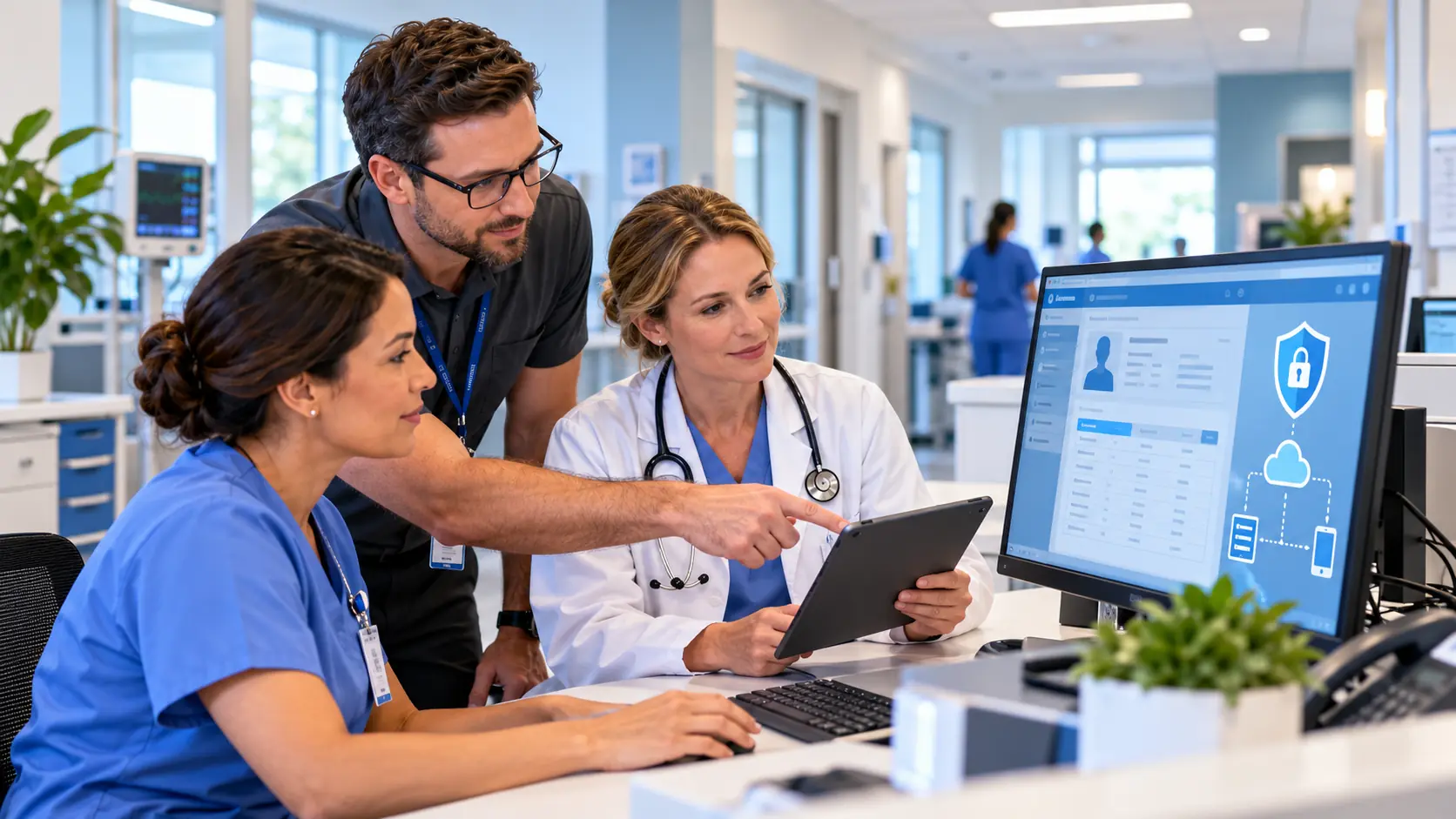
Healthcare & Medical IT Support Service in Vancouver, Washington
Healthcare IT Support That Understands the Entire Practice
A medical office is not a typical business environment.
You get it, the subject of healthcare & medical it support is just one of those things in life you have to trust a professional to do. So feel free to skip all the reading and click the button below to get a quote now, or scroll down to learn more.
Get A QuoteTechnology touches almost every part of the patient workflow.
The front desk may rely on scheduling and patient-management systems.
Providers depend on EHR or EMR access.
Clinical staff may use scanners, imaging equipment, prescription printers, laboratory systems, and specialized third-party applications.
Behind those systems are:
- Workstations and laptops
- Servers
- Microsoft 365
- Printers and scanners
- Firewalls
- Wi-Fi
- Switches
- Phones
- VPNs
- Medical devices
- Cloud applications
- Multiple technology vendors
When one connection fails, it can affect the entire practice.
MTech Solutions helps healthcare organizations manage the technology behind their clinical and administrative operations.
Our goal is to keep systems reliable, secure, and easier for staff to use.
Healthcare Organizations We Support
MTech works with healthcare environments such as primary-care practices, specialty clinics, naturopathic offices, chiropractic practices, physical-therapy clinics, mental-health providers, outpatient practices, medical groups, veterinary practices, healthcare nonprofits, and substance use treatment and recovery organizations.
Each type of practice works differently, but they share one requirement:
Technology needs to work when patients are being seen.
EHR, EMR, and Healthcare Software Support
MTech works around healthcare environments using systems such as:
- Epic
- Athenahealth
- eClinicalWorks
- NextGen
- Tebra / Kareo
- Practice Fusion
- AdvancedMD
- DrChrono
- Patient portals
- Laboratory applications
- Imaging applications
- Practice-management systems
- Other healthcare-specific software
Our role is not to replace the EHR or software vendor.
Our role is to manage the IT environment those systems depend on and work directly with the vendor when troubleshooting crosses between the two.
That may involve:
- Workstation configuration
- Network connectivity
- Server communication
- Permissions
- Printers
- Scanners
- Firewalls
- Drivers
- Ports
- Windows services
- Third-party integrations
Getting Healthcare Systems to Work Together
One of the most common problems we see is not that one piece of equipment is completely broken.
The problem is getting multiple systems to communicate properly.
Examples may include:
- An EMR not printing correctly
- A scanner not communicating with the practice software
- An imaging system losing network connectivity
- Prescription printers not working properly
- Third-party applications failing to communicate
- Devices working on one workstation but not another
- Software updates changing a previously working configuration
Healthcare offices depend on many different vendors and applications.
MTech helps connect the pieces.
Real Healthcare IT Problems We Help Resolve
We have worked with healthcare environments where an EMR system did not communicate properly with printers and other office technology.
In situations like this, simply replacing the printer does not necessarily solve the problem.
The cause may involve:
- Drivers
- Permissions
- Application settings
- Windows services
- Network configuration
- Vendor requirements
MTech works through each layer and coordinates directly with the software vendor when necessary.
We also frequently help healthcare practices stabilize third-party software integrations that need to communicate consistently with workstations, servers, and network-connected equipment.
The goal is not simply to get something working once.
The goal is to make it work reliably.
We Work Directly With Healthcare Vendors
Healthcare employees should not have to spend hours explaining technical problems to vendors.
MTech works directly with:
- EHR and EMR vendors
- Medical equipment vendors
- Imaging companies
- Laboratory providers
- Copier companies
- Phone providers
- Internet providers
- Software vendors
- Hardware manufacturers
If a vendor tells the practice:
“This is an IT issue.”
we do not simply send the staff back and forth between companies.
We ask the vendor for the technical information needed to investigate the issue.
That may include:
- Logs
- Error messages
- Required ports
- IP information
- Server requirements
- Application requirements
- Driver versions
- Connectivity tests
We then troubleshoot the IT side and continue working with the vendor.
We also document what we find so the same issue does not have to be rediscovered later.
Your Staff Should Not Be the Technical Middleman
Doctors, nurses, medical assistants, office managers, and front-desk staff should be focused on patients.
They should not have to translate technical information between:
the EHR company → the printer company → the internet provider → the IT company
MTech helps take ownership of that technical coordination.
The practice contacts us, and we help drive the troubleshooting process.
Reliable Networks for Clinical Environments
Healthcare technology depends heavily on the network.
MTech can help medical practices with:
- Firewalls
- UniFi networks
- Managed switches
- Wireless access points
- Wi-Fi
- VLANs
- Guest Wi-Fi separation
- Ethernet cabling
- Business phone systems
- VPNs
- Cameras
- Network monitoring
When possible, we prefer wired Ethernet for critical clinical systems and equipment.
Wired connections can provide:
- Greater stability
- More consistent performance
- Faster data transfers
- Less wireless interference
- More predictable connectivity
Wi-Fi still has an important role, but critical equipment should not necessarily depend entirely on wireless connectivity.
HIPAA-Related IT and Cybersecurity Support
Healthcare organizations handle highly sensitive patient information.
MTech provides HIPAA-related IT and cybersecurity support focused on the technical safeguards surrounding that information.
We commonly encounter weaknesses such as:
- Shared accounts
- Shared passwords
- Missing MFA
- Employees having more access than necessary
- Unsupported computers
- Missing encryption
- Poor Wi-Fi security
- Weak email security
- No endpoint protection
- Poor offboarding
- Former employees retaining access
- Missing documentation
- No clear security procedures
Technology policies and procedures are just as important as the technology itself.
HIPAA-Related Technology Controls We Help With
MTech helps practices review areas such as:
- Multi-factor authentication
- Encryption
- Endpoint protection
- Email security
- User access
- Workstation security
- Secure remote access
- VPNs
- Backups
- Security logging
- Secure file sharing
- Employee onboarding
- Employee offboarding
- Documentation
- Security procedures
MTech does not replace a legal advisor or formal HIPAA auditor.
Our role is to help healthcare organizations strengthen and manage the technology and cybersecurity side of their HIPAA responsibilities.
Role-Based Access for Healthcare Employees
Not every employee should have access to the same information.
A provider, medical assistant, receptionist, billing employee, and outside vendor may all require different levels of access.
MTech helps establish access based on the person's role.
That can apply to:
- Microsoft 365
- Shared folders
- EHR systems
- Business applications
- Remote access
- Administrative systems
A user should receive enough access to perform their job without automatically having access to information they do not need.
Healthcare Employee Onboarding
A consistent onboarding process may include:
- Creating the employee's account
- Preparing the workstation
- Assigning Microsoft 365 licensing
- Configuring email
- Setting up MFA
- Installing required clinical applications
- Assigning file permissions
- Configuring EHR access
- Applying endpoint security
- Configuring secure remote access
- Documenting permissions
The user's access should reflect their job responsibilities.
Healthcare Employee Offboarding
When someone leaves a healthcare organization, access should be reviewed immediately.
MTech can help remove or secure:
- Microsoft 365
- OneDrive
- SharePoint
- Teams
- VPN access
- Remote access
- EHR access
- Shared folders
- Applications
- Company devices
Offboarding needs to be consistent and documented.
Former employees should not accidentally retain access to business or patient information.
Microsoft 365 for Medical Practices
MTech helps healthcare organizations manage Microsoft 365, including:
- Outlook
- Exchange Online
- Microsoft 365 licensing
- MFA
- OneDrive
- SharePoint
- Teams
- Email security
- File permissions
- Secure sharing
- Shared mailboxes
- Employee onboarding
- Employee offboarding
Microsoft 365 is powerful, but permissions and security settings need to be managed carefully when sensitive information is involved.
Secure Remote Access
Providers, employees, and outside vendors may need remote access to systems.
Remote access should not simply mean opening systems to the internet.
MTech helps establish secure remote connectivity using controls such as:
- MFA
- VPNs
- Secure remote-access tools
- User-specific accounts
- Appropriate permissions
- Endpoint security
- Access policies
Remote access should be limited to the people and systems that actually require it.
Backup and Disaster Recovery for Healthcare
Healthcare practices cannot assume that backups are working simply because backup software exists.
We have seen environments with:
- No backup
- Local-only backup
- Outdated backup solutions
- Untested restores
- Missing Microsoft 365 backups
- Unclear responsibilities between the practice and cloud/EHR vendors
MTech's goal is to help practices prepare for problems before the disaster occurs.
That means understanding:
What systems are critical?
Where is the data?
What is backed up?
How quickly can it be restored?
Who is responsible for restoring it?
These questions should have answers before an outage.
If the Main Healthcare Server Fails
If a medical office loses access to its primary server during a busy morning, our first goal is to restore the systems necessary for the office to continue operating.
For a server-based environment, restoring the primary server may be the first major priority.
Once the core environment is available, we can work through other systems such as:
- EHR access
- Workstations
- Imaging systems
- Printers
- Scanners
- Prescription printers
- Shared folders
- Other clinical applications
Disaster recovery is not only about restoring data.
It is about restoring the workflow the practice needs to care for patients.
Documentation and Procedures Matter
One problem we commonly see is a lack of documented procedures.
Healthcare organizations should not rely on one employee remembering:
- Who has access
- How users are onboarded
- How users are offboarded
- Which vendor supports an application
- Which systems are backed up
- How remote access works
- What equipment exists
- Who has administrative access
MTech helps improve documentation so the environment is easier to manage, secure, and troubleshoot.
Why Medical Practices Choose MTech
Healthcare IT Experience
We understand that clinical environments include much more than standard office computers.
HIPAA-Related IT Support
We help practices improve the technical controls and procedures surrounding sensitive patient information.
Local Technicians
MTech uses local staff rather than outsourcing support overseas.
24/7 Support
Healthcare technology problems do not always happen during normal business hours.
Remote and Onsite Support
We troubleshoot remotely when that is fastest and provide onsite assistance when hands-on work is necessary.
Vendor Coordination
We work directly with EHR, equipment, internet, phone, and software vendors.
Cybersecurity
We help protect accounts, email, endpoints, remote access, networks, and business data.
Backup and Disaster Recovery
We help practices prepare for failures before they occur.
Microsoft 365 Support
We manage licensing, users, MFA, Outlook, OneDrive, SharePoint, Teams, email security, and permissions.
Flat-Rate Support
Our managed IT approach helps make support costs more predictable.
No Long-Term Contracts
We use service agreements rather than relying on long-term contracts to keep our clients.
We Are There When It Matters
Healthcare practices depend on their technology to serve patients.
When something important stops working, our goal is to stay engaged until the problem is understood and resolved.
Healthcare IT Services MTech Can Help With
MTech can help medical practices with:
- Managed IT services
- 24/7 IT support
- Help desk support
- Onsite support
- Remote support
- EHR/EMR IT support
- Healthcare vendor coordination
- Microsoft 365
- Cybersecurity
- HIPAA-related IT support
- Endpoint protection
- Email security
- MFA
- Secure remote access
- VPNs
- Employee onboarding
- Employee offboarding
- User permissions
- Backup and disaster recovery
- Server support
- Printers and scanners
- Imaging systems
- Prescription printers
- Network installation
- Firewalls
- UniFi
- Wi-Fi
- VLANs
- Network cabling
- Business phones
- IT documentation
- Technology planning
Local Healthcare IT Support
MTech Solutions provides IT support for healthcare and medical practices throughout Bothell and surrounding Puget Sound communities, including Bellevue, Kirkland, Redmond, Lynnwood, Everett, Seattle, Issaquah, Mukilteo, Woodinville, and nearby areas.
We provide both remote and onsite support depending on what the practice requires.
Keep Your Staff Focused on Patients, Not Technology Problems
Your doctors, providers, clinical staff, and office team should not have to spend valuable time troubleshooting networks, printers, EHR systems, vendors, or cybersecurity issues.
MTech Solutions can help manage the technology behind your practice—from workstations and EHR connectivity to Microsoft 365, cybersecurity, networks, backups, vendor coordination, and ongoing IT support.
Schedule a Healthcare IT Assessment

Helpful Healthcare IT Resources
Microsoft 365 Security Checklist for Small Businesses
What to Do When Your Business Email Gets Hacked
Employee Offboarding IT Checklist
New Employee IT Onboarding Checklist
Business Continuity vs Backup vs Disaster Recovery
Cyber Insurance IT Checklist for Small Businesses
Dental Office IT Support: What Every Practice Should Have in Place
Healthcare & Medical IT Support FAQs
Yes. MTech supports healthcare organizations with EHR/EMR environments, Microsoft 365, networks, cybersecurity, HIPAA-related IT controls, backups, remote access, medical-device connectivity, vendor coordination, and managed IT support.
MTech supports the IT infrastructure EHR and EMR applications depend on and works directly with application vendors when necessary. This can include workstations, servers, networking, printers, scanners, permissions, connectivity, and third-party integrations.
MTech provides HIPAA-related IT and cybersecurity support, including MFA, encryption, endpoint protection, email security, access controls, backup, remote access, onboarding, offboarding, and technical documentation. MTech does not replace legal counsel or a formal HIPAA auditor.
Yes. Vendor coordination is part of our managed IT approach. We can communicate directly with EHR vendors, medical-equipment vendors, imaging providers, laboratories, internet providers, phone companies, and other technology vendors.
Yes. We help troubleshoot network connectivity involving clinical systems such as printers, scanners, imaging equipment, prescription printers, workstations, and other network-connected devices.
Yes. We can help configure secure remote access using technologies such as MFA, VPNs, secure remote-access platforms, endpoint security, and appropriate user permissions.
Yes. MTech can help review backup and disaster-recovery strategies, identify critical systems, document recovery priorities, monitor backups, and improve the organization's ability to restore operations after a failure.